
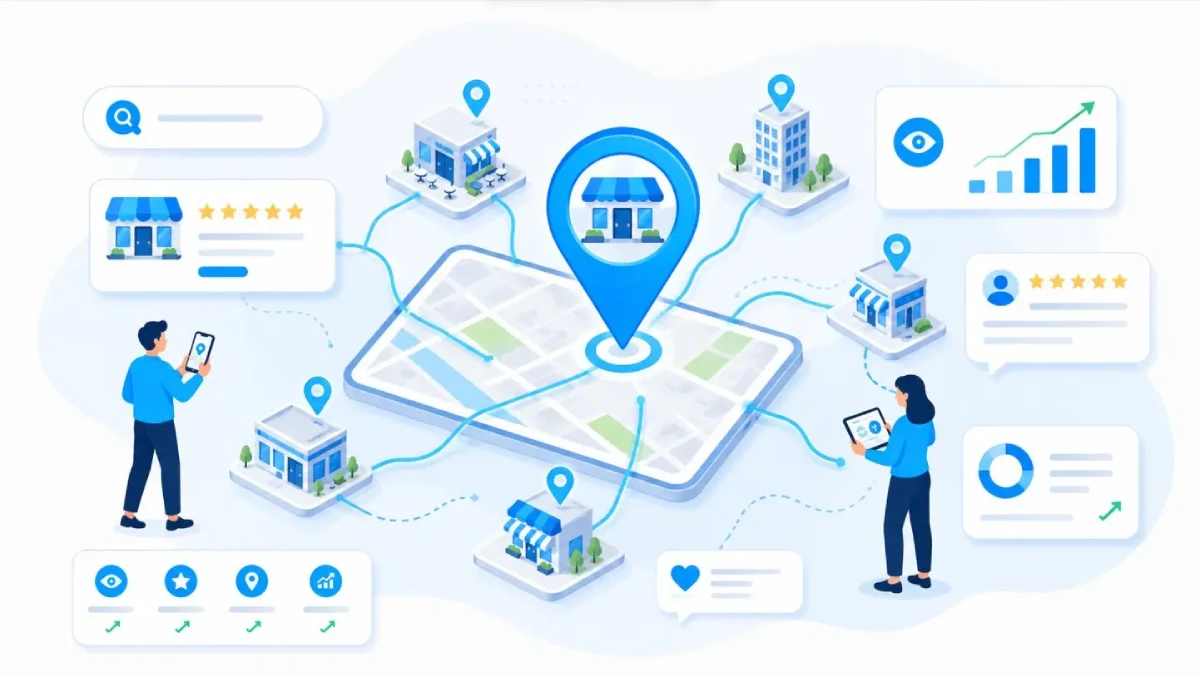
Multi-Location SEO: How to Improve Local Rankings for Every Business Location

Multi-Location SEO: How to Improve Rankings for Every Business Location
Running a business in several cities creates more opportunities to reach customers, but it also makes online visibility harder to manage. A company may have a strong website and a trusted brand, yet some of its branches receive very little traffic from Google. Customers might find one office easily while struggling to locate another.
This is where multi-location SEO becomes important. It helps businesses improve their visibility in local search results, appear in relevant Google Maps searches, and connect potential customers with the right branch.
The goal is not simply to rank one website for several city names. It is to make every eligible business location easy to find, understand, and contact.
In this guide, we explain how to build a practical multi-location SEO strategy, avoid common mistakes, and prepare your website for changing search habits, including AI-powered search.
What Is Multi-Location SEO?
Multi-location SEO is the process of improving a business's online visibility across multiple physical locations or eligible local service operations.
For example, imagine a dental group with clinics in three cities. Someone searching for a dentist near the first clinic should find useful information about that branch, not a general page that only lists the company's services.
A well-planned strategy connects each location with its own accurate business information, relevant website content, customer reviews, and local search presence.
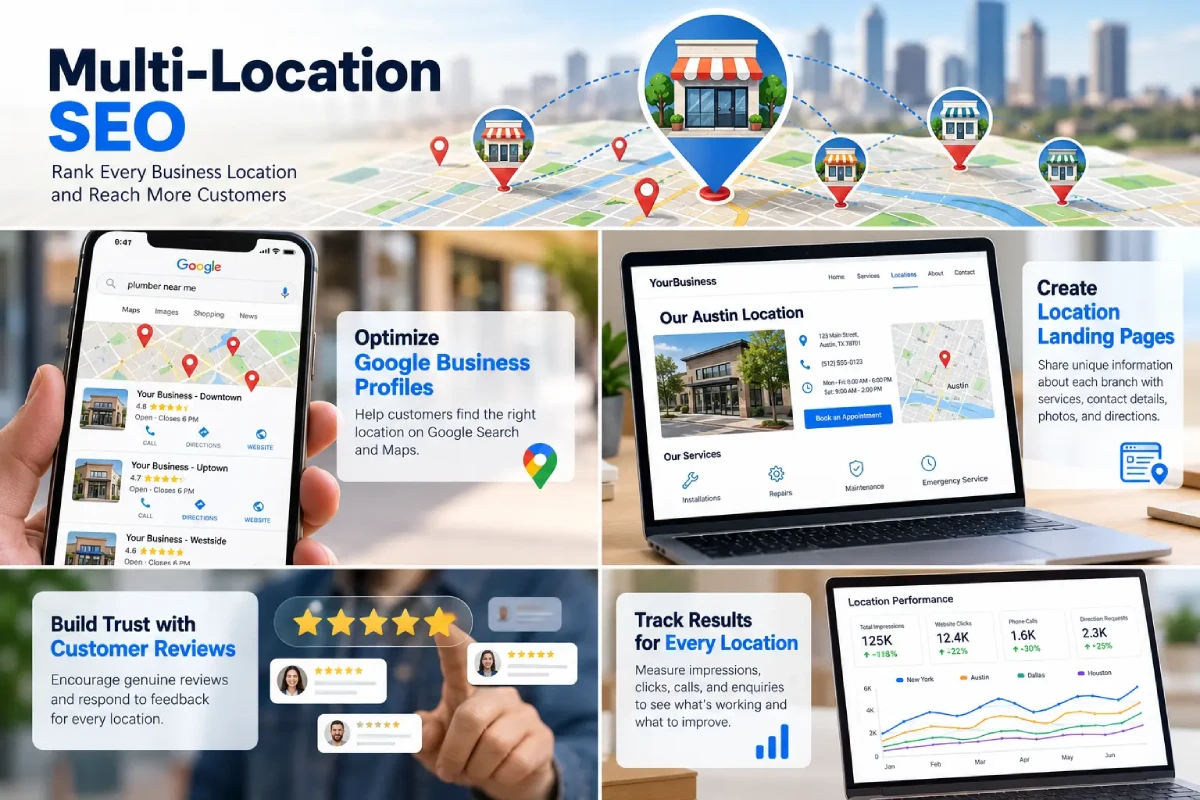
Multi-location SEO typically includes:
- Google Business Profile management.
- Location-specific website pages.
- Local keyword research.
- Consistent business contact details.
- Review management and reputation building.
- Technical SEO and structured data.
- Performance tracking for individual locations.
These activities work together. A complete profile may help customers discover a branch, while a useful landing page gives them the information they need before making contact.
1. Build a Separate SEO Plan for Each Location
One of the biggest mistakes businesses make is treating every branch as if it serves exactly the same customers.
A location in a busy city center may attract office workers looking for quick service. A branch in a residential area may receive more enquiries from families. Even when both locations offer the same core service, customer needs and local competition can differ.
Start by creating a central record of every branch. Include its official business name, address where applicable, phone number, opening hours, services, website URL, and profile status.
Then review each location individually.
Ask these questions:
- What services are available at this branch?
- Which neighborhoods or nearby areas does it genuinely serve?
- What questions do local customers ask before contacting the business?
- Which nearby competitors appear in search results?
- Are the branch's contact details and opening hours correct?
This information gives your SEO team a clear starting point. It also makes it easier to spot missing details and assign responsibility for updates.
Practical tip: Use one shared location database rather than allowing every branch to maintain its own unconnected spreadsheets. This reduces errors when addresses, hours, or services change.
2. Optimize Google Business Profiles Correctly
Google Business Profile is an important part of local search visibility. It helps eligible businesses display useful details on Google Search and Google Maps.
Each eligible physical branch should have its own profile. The information must reflect the real business and follow Google's eligibility rules. Do not create extra listings for the same location or use virtual offices simply to target additional cities.
For every eligible location, check the following:
- Business name: Use the genuine name shown in the real world. Avoid adding extra city names or keywords unless they are part of the actual business name.
- Primary category: Select the category that best describes the main business activity.
- Address and phone: Make sure customers can reach the correct branch.
- Opening hours: Update normal hours, holiday schedules, and temporary changes.
- Services: List the services that the location actually provides.
- Photos: Add genuine images of the premises, team, products, or completed work where relevant.
- Website link: Send visitors to the matching location page whenever possible.
For service-area businesses, the correct setup depends on how the business operates. A company that travels to customers should follow Google's service-area rules instead of claiming an office address where it does not genuinely operate.
Read Google's official guidelines for representing your business before creating or changing profiles.
Remember that profile optimization cannot guarantee a top position. Google's local results depend on factors including relevance, distance, and prominence.
3. Create Useful Location Landing Pages
A location landing page gives each branch a clear place on your website. It should answer the questions a customer would ask before visiting, booking, or requesting a quote.
For example, a company with branches in Dallas, Austin, and Houston could organize its URLs like this:
- example.com/locations/dallas/
- example.com/locations/austin/
- example.com/locations/houston/
These are sample URLs, not live pages. The important point is to use a clear structure that people and search engines can follow.
Each page should include:
- The location's name and accurate contact information.
- Services available at that branch.
- Relevant opening hours and appointment details.
- Directions, a map, or parking information where useful.
- Original photos of the branch, staff, or work.
- Genuine reviews or testimonials where permitted.
- Answers to common local customer questions.
- A clear call to action, such as calling, booking, or requesting a quote.
Avoid copying one page and changing only the city name. That creates a poor experience and gives visitors little reason to choose one branch over another.
Instead, include real differences between locations. One branch may offer weekend appointments, while another may provide a particular service or have easier parking.
Only create a location page when you have enough accurate information to make it useful. A page targeting a city where your business has no genuine presence or service offering is not a substitute for local relevance.
4. Choose Keywords Based on Local Customer Needs
Local keyword research should begin with the services you provide and the words customers use when they are ready to take action.
A plumbing company, for instance, might find opportunities around phrases such as:
- Emergency plumber in Austin.
- Water heater repair near North Austin.
- Residential plumbing services in Dallas.
- Commercial plumbing contractor in Houston.
These phrases represent different needs. Someone searching for emergency repairs may want an immediate phone number, while a commercial customer may need service details and a quote.
Map relevant keywords to the correct page instead of trying to rank every branch for every phrase.
Use keyword research tools and Google Search Console to find actual search queries, impressions, clicks, and pages that attract visitors. Review the results regularly because customer demand and competition can change.
Include location terms naturally in page titles, headings, descriptions, and useful body copy. Do not repeat city names unnecessarily or fill paragraphs with awkward keyword variations.
The best page is the one that answers the searcher's question clearly, not the one that repeats a keyword the most.
5. Keep Business Information Consistent Across the Web
Customers lose confidence when Google shows one phone number, a directory shows another, and the website lists an old address.
This is why consistent business information matters. Your business name, address, and phone number are often called NAP details. Opening hours, website links, and service descriptions also need attention.
Check the main places where customers may discover your business, including Google Business Profile, your website, major business directories, social profiles, and relevant industry listings.
Create a simple update process:
- Record the approved details for every location.
- Assign an owner who can approve changes.
- Update the website and key listings when information changes.
- Check for duplicate or outdated profiles.
- Review the data at regular intervals.
For a company with many branches, a central system can make these tasks easier. The aim is not to list the business everywhere without a plan. It is to keep important information accurate wherever customers are likely to look.
6. Earn Genuine Reviews and Respond to Feedback
Reviews help potential customers judge whether a business is reliable before they make contact. They can also contribute to local prominence, although no single review strategy guarantees better rankings.
Develop a review process that works at the branch level. After a genuine customer interaction, invite the customer to share honest feedback using the correct location's review link.
Do not offer rewards in exchange for positive reviews, buy reviews, or ask only satisfied customers to leave feedback. Follow the review platform's policies.
Respond to reviews in a professional and personal way. Thank customers for positive comments. When someone raises a problem, acknowledge the concern and explain how they can contact the business to resolve it. Avoid sharing private customer information in a public response.
Review patterns can also reveal operational problems. If several customers mention long waiting times at the same branch, the solution may involve staffing or scheduling rather than SEO.
Treat feedback as a source of business insight, not merely a marketing task.

7. Improve Internal Links and Store Locator Pages
Customers should not have to search through several menus to find their nearest branch.
Create a main locations page that lists all branches and links directly to their individual landing pages. Organize locations by region or city when the business has many branches.
Your internal links should use clear anchor text. For example, a sentence on your service page could link to plumbing services in Austin or our Dallas office when those pages genuinely match the topic.
A useful store locator should do more than display map pins. Make sure location names, addresses, and links to individual pages are accessible to search engines. Test whether the important location details are present in the page's rendered or crawlable content.
Do not rely entirely on a map widget that hides all branch information from search engines or requires users to interact with a map before any useful details appear.
Internal linking helps visitors navigate the site and helps search engines discover the relationship between the main brand, its services, and individual locations.
8. Use Structured Data and Technical SEO
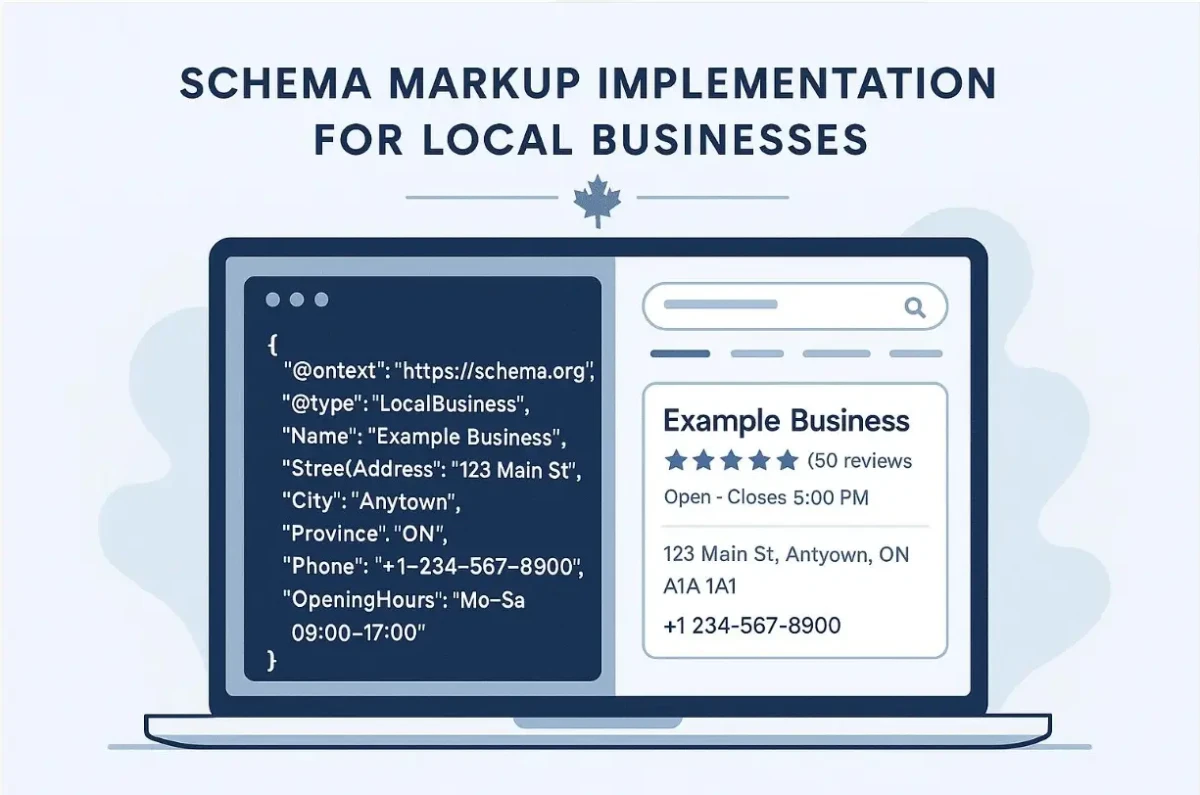
Structured data is a standard format that helps search engines understand details about a webpage. For eligible business pages, LocalBusiness structured data can describe information such as the business name, address, phone number, and opening hours.
Add the appropriate structured data to pages where it accurately represents the business. Use the most specific supported business type, keep the markup consistent with visible page content, and validate it before publishing.
You can learn more from Google's official Local Business structured data documentation.
Technical checks matter too. Ensure location pages return the correct status codes, load on mobile devices, use sensible canonical URLs, and can be reached through internal links. Include indexable location pages in your XML sitemap when appropriate.
Structured data can improve machine understanding, but it does not guarantee rich results, rankings, or inclusion in AI-generated answers.
9. Prepare Your Local Content for AI Search
Customers increasingly ask conversational questions, such as "Which branch offers weekend appointments?" or "Where can I find a company that provides emergency repairs near me?"
Clear, specific website content makes these questions easier to answer. It can also help search systems understand what your business does, which services each location offers, and how customers can contact the right branch.
For better visibility across traditional search and AI-powered discovery:
- State what the business does in plain language.
- Connect each service to the locations where it is actually available.
- Answer common questions directly.
- Keep contact information, hours, and service details accurate.
- Publish original photos and useful local information.
- Support claims with real experience, evidence, and trustworthy sources.
- Keep important details visible on the website rather than hiding them in images alone.
For example, instead of writing a vague paragraph about excellent service, explain which services a branch provides, whether appointments are required, and what a customer should do next.
This approach supports answer engine optimization (AEO) by making useful answers easy to identify. It also supports generative engine optimization (GEO) by giving search systems clear, consistent information about your business.
There is no guaranteed formula for being cited by an AI system. Focus first on accuracy, usefulness, accessibility, and trust.
10. Track Performance for Every Location
A company-wide traffic report can hide serious differences between branches. One location may generate many enquiries while another receives impressions but very few clicks.
Track performance at the individual location level using Google Business Profile performance data, Google Search Console, website analytics, call tracking where appropriate, and your lead management system.
Useful measures include:
- Search impressions and organic clicks for each location page.
- Relevant local queries and changes in search visibility.
- Calls, direction requests, bookings, and form submissions.
- Conversion rates and qualified leads by branch.
- Review volume, response time, and recurring customer concerns.
- Page indexing, broken links, and outdated business details.
Compare similar locations and examine changes over time. If a branch receives more search impressions but fewer enquiries, check whether the page answers customer questions, displays the correct phone number, and offers a clear next step.
Use the findings to decide what to improve next. Do not judge success only by rankings; local SEO should help customers find the right business and take meaningful action.
Frequently Asked Questions
What is the best way to rank a business in multiple locations?
Start with accurate profiles for eligible locations, useful location-specific pages, consistent business information, relevant local keywords, genuine customer reviews, and regular performance checks. Results depend on competition, relevance, distance, and other factors.Does every business branch need its own website page?
For most multi-location businesses, a dedicated page for each genuine branch is a useful approach. Each page should offer distinct, accurate information and link to the relevant services and contact options.Can one Google Business Profile rank in several cities?
A profile may appear for relevant searches in nearby areas, but visibility varies with distance, relevance, competition, and other factors. Do not create fake locations or additional profiles to target cities where the business has no eligible presence.How does multi-location SEO help AI search visibility?
It helps establish clear information about the business, its locations, services, reputation, and contact details. Clear answers and consistent facts can make the business easier for search systems to understand, but no strategy guarantees an AI recommendation.How long does multi-location SEO take to work?
There is no fixed timeline. Results depend on the website's current condition, competition, business location, content quality, and the work required. Measure progress over time and prioritize changes that improve both visibility and customer experience.Final Thoughts
Multi-location SEO is not about publishing the same page for every city and hoping Google will rank it. It is about making each real business location useful, trustworthy, and easy to discover.
Build a reliable location database, optimize eligible Google Business Profiles, publish helpful landing pages, earn genuine reviews, and measure results branch by branch. Then use customer questions and performance data to improve the experience over time.
For businesses that want to grow across several markets, a clear and consistent local SEO process creates a stronger foundation for Google Search, Google Maps, and emerging AI-powered discovery.
Need help improving your local search visibility? Explore Euitsols' SEO services or contact the team to discuss a strategy that fits your business goals.
Get local SEO tips
Practical updates on multi-location SEO, Google Business Profile and growing local visibility.
